
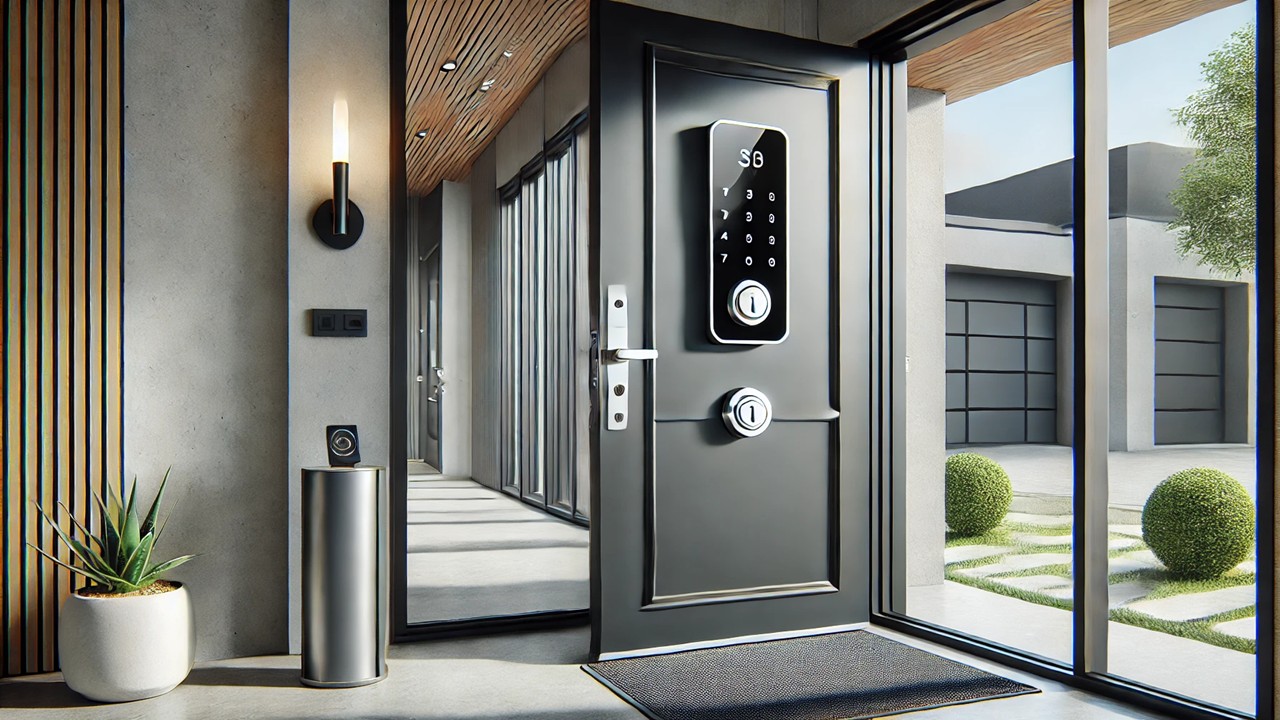
A Complete Guide to Models, Security Levels, and Connectivity Options
Meta Description (SEO):
Looking for the perfect smart lock for your front door? This 2025 guide compares the best models, security features, and connectivity options to help you choose with confidence.
Smart locks are transforming home security. In 2025, you don’t need keys to enter your home — just a phone, fingerprint, or voice command. But with so many models and features available, how do you choose the best smart lock for your front door?
This guide covers everything you need to know, including the top smart lock models, their security levels, and the types of connectivity you should look for. Whether you’re upgrading your home, improving rental security, or building a smart ecosystem, this article will help you choose wisely.
🧠 Why Choose a Smart Lock?
Smart locks offer convenience, security, and control. Here’s why they’re worth considering:
-
🔑 Keyless entry via phone, fingerprint, code, or voice
-
📲 Remote access from anywhere using an app
-
🔄 Integration with smart home systems (Alexa, Google, Apple Home)
-
🔒 Advanced security features like auto-lock, tamper alerts, and access history
-
👪 Custom user access for family, guests, or deliveries
SEO Tip: best smart lock 2025, smart lock for front door, smart home security devices
🔍 Types of Smart Locks
There are several types of smart locks, depending on how they operate and install:
1. Deadbolt Replacements
These replace your existing deadbolt and come with full electronic locking mechanisms.
✔️ Best for front doors
✔️ Secure and complete solution
2. Deadbolt Adapters
These attach to the inside of your existing lock, allowing smart control without changing the keyhole.
✔️ Great for renters
✔️ Easy to install
3. Lever Locks or Handlesets
Used for internal doors or main entry doors with integrated handles.
✔️ Ideal for garage or office doors
Popular brands: August, Yale, Schlage, Level, Ultraloq, Eufy, Wyze
🛡️ Key Security Features to Compare
Not all smart locks offer the same level of protection. Look for these features when choosing one:
🧷 1. ANSI Grade Rating
Locks are rated by the American National Standards Institute:
-
Grade 1: Highest security (ideal for front doors)
-
Grade 2: Standard residential use
-
Grade 3: Basic level
📉 2. Anti-Tamper and Auto-Lock Features
-
Lock automatically after a set time
-
Detect forced entry or tampering
-
Alerts sent to your phone
👥 3. User Access Management
-
Assign unique codes or digital keys
-
Set time-limited access for guests, cleaners, etc.
🔐 4. Backup Key Option
Some smart locks include a hidden keyhole as a backup for battery or connection failure.
SEO Tip: secure smart locks, smart lock with backup key, smart lock guest access
📶 Connectivity Options
A smart lock is only as good as its connection to your phone or home system. Here’s what to know:
📡 1. Bluetooth
-
Local access via phone
-
Battery-efficient
-
No remote access unless paired with a hub
📶 2. Wi-Fi
-
Full remote control from anywhere
-
Requires more power or Wi-Fi bridge
🧵 3. Thread and Matter (2025 standard)
-
Fast, low-latency, future-proof
-
Works with all major ecosystems (Apple, Google, Alexa)
📱 4. Smart Home Integration
-
Works with Alexa, Google Assistant, Apple HomeKit, SmartThings
-
Enables automation like “Lock door when I leave home”
SEO Tip: Wi-Fi vs Bluetooth smart lock, Matter smart locks, smart lock Alexa compatible
🥇 Top Smart Lock Models in 2025
Here are the top-rated smart locks for front doors in 2025, covering a range of budgets and features:
1. Yale Assure Lock 2 (Wi-Fi or Z-Wave)
-
🔒 ANSI Grade 2 security
-
🔐 Touchscreen keypad + app control
-
🔄 Works with Alexa, Google, SmartThings
-
🔑 Optional backup key
-
💵 Around $180–$220
Best For: Complete smart home integration and elegant design
2. August Smart Lock (4th Gen) + Connect Wi-Fi Bridge
-
🧰 Attaches to existing deadbolt
-
📲 Auto-unlock and remote lock/unlock
-
🔄 Works with Alexa, Google, HomeKit
-
🔋 6-month battery life
-
💵 Around $150–$200
Best For: Renters or those who don’t want to replace their keys
3. Ultraloq U-Bolt Pro WiFi
-
🔑 Fingerprint, code, app, or key access
-
🧠 Auto-lock/unlock with geofencing
-
🌐 Built-in Wi-Fi, no hub required
-
🔒 ANSI Grade 1
-
💵 Around $200
Best For: All-in-one security with biometrics
4. Wyze Lock Bolt
-
💰 Budget-friendly (~$75–$99)
-
🔑 Fingerprint reader + keypad
-
📡 Bluetooth only (no remote access)
-
🧲 Sleek design and quick access
Best For: Budget-conscious users who want fast fingerprint entry
5. Level Lock+ (Matter-ready)
-
🔍 Invisible design — fits inside standard deadbolt
-
🔑 Unlock with iPhone, watch, or key
-
🧵 Works with Apple Home & Matter
-
💵 Around $300
Best For: Apple users and minimalists
⚙️ Installation Tips
-
Most smart locks take 15–30 minutes to install with basic tools
-
Use a video tutorial or brand-specific app
-
Always check door thickness and deadbolt type before buying
-
Keep spare batteries or backup keys accessible
Pro Tip: Test connectivity before finalizing installation — especially if using Wi-Fi or hubs.
✅ Quick Comparison Table
| Model | Access Methods | Connectivity | Security Grade | Price | Best For |
|---|---|---|---|---|---|
| Yale Assure 2 | Keypad, app, key | Wi-Fi/Z-Wave | Grade 2 | $200 | Smart home integration |
| August 4th Gen | App, auto-unlock | Bluetooth + Wi-Fi | Existing lock | $180 | Renters |
| Ultraloq U-Bolt Pro | Fingerprint, app, key | Wi-Fi | Grade 1 | $200 | Biometrics + full features |
| Wyze Lock Bolt | Fingerprint, keypad | Bluetooth only | Not rated | $85 | Budget and speed |
| Level Lock+ | App, iPhone, key | Matter (Thread) | Grade 2 | $300 | Apple Home users |
🚪 Final Thoughts: Choosing the Right Smart Lock
When it comes to choosing the best smart lock for your front door, your decision depends on:
-
📱 How you want to unlock (phone, fingerprint, code, voice)
-
🏠 Whether you rent or own
-
🌐 The smart home ecosystem you use
-
💸 Your budget
If you want remote access and security alerts, go for a Wi-Fi smart lock. Prefer total control and Apple compatibility? Look for Matter or HomeKit models. On a budget? Fingerprint-enabled Bluetooth locks are quick and reliable.
Smart locks in 2025 are safer, more stylish, and more connected than ever. By picking the right one, you’re not just locking your door — you’re unlocking the future of home security.
💡 Need help integrating your smart lock with Alexa or Google Home? Let me know, and I’ll guide you step-by-step.
